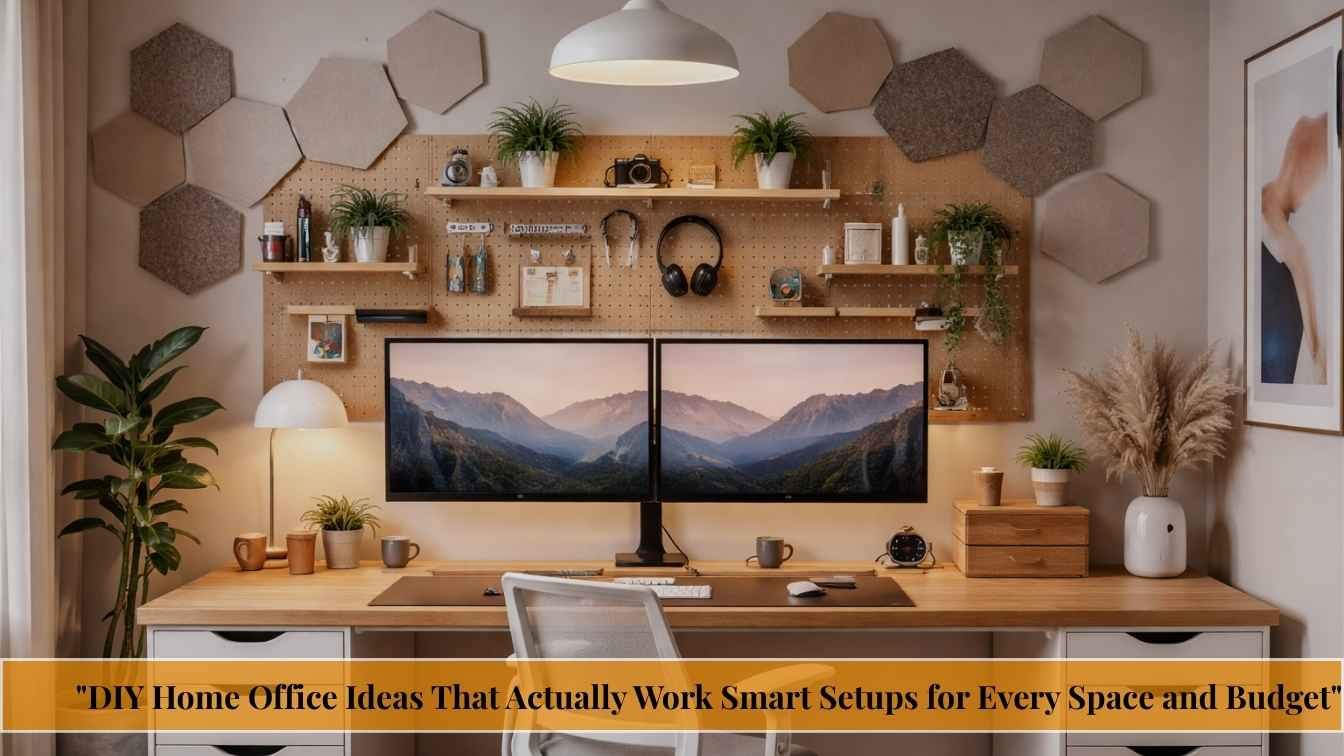
DIY Home Office Ideas That Actually Work Smart Setups for Every Space and Budget

Your home office should help you do your best work not drain your energy. Here’s how to build one that’s productive, comfortable, and uniquely yours without hiring a designer or breaking the bank.
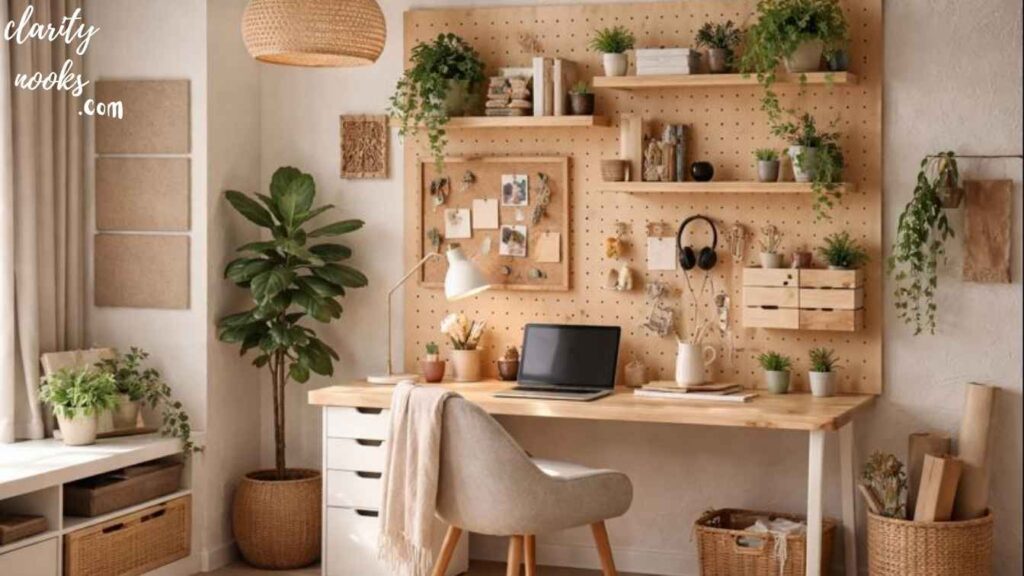
Most people build their home office backwards. They buy a desk, drop it in a corner, and wonder why they feel scattered, tired, and unproductive three months later. The truth is that your physical workspace has a direct, measurable impact on your focus, creativity, and even your stress levels and fixing it doesn’t require a renovation budget or a professional designer.
Whether you’re working with a spare bedroom, a studio apartment corner, or a tiny closet you’re hoping to transform into something useful, this guide gives you nine real, tested, and deeply considered DIY home office ideas. We’ll go well beyond “buy a good chair” and show you exactly how to build a workspace that supports the way you actually work.
74%
Remote workers say workspace design affects their productivity
$1,500
Average DIY home office budget vs $6,000+ for professional setups
3x
More likely to sustain deep focus with ergonomic + acoustic setup
Remote and hybrid work is no longer a temporary fix it’s the baseline for tens of millions of workers globally. Yet most home offices are still afterthoughts: dining tables commandeered during Zoom calls, laptops balanced on kitchen counters, and makeshift setups that quietly erode focus and physical health over time.
A well-designed DIY home office isn’t just about aesthetics. It’s about creating a physical context that signals to your brain: “this is where work happens.” That psychological boundary is arguably the most valuable thing your home office can provide and it’s completely free to create with the right approach.
A DIY home office is a self-built work-from-home workspace designed using budget-friendly furniture, smart layout choices, and ergonomic principles without hiring a professional designer or doing a full renovation.
The “Cloffice” Convert a Closet Into a Focused Work Pod
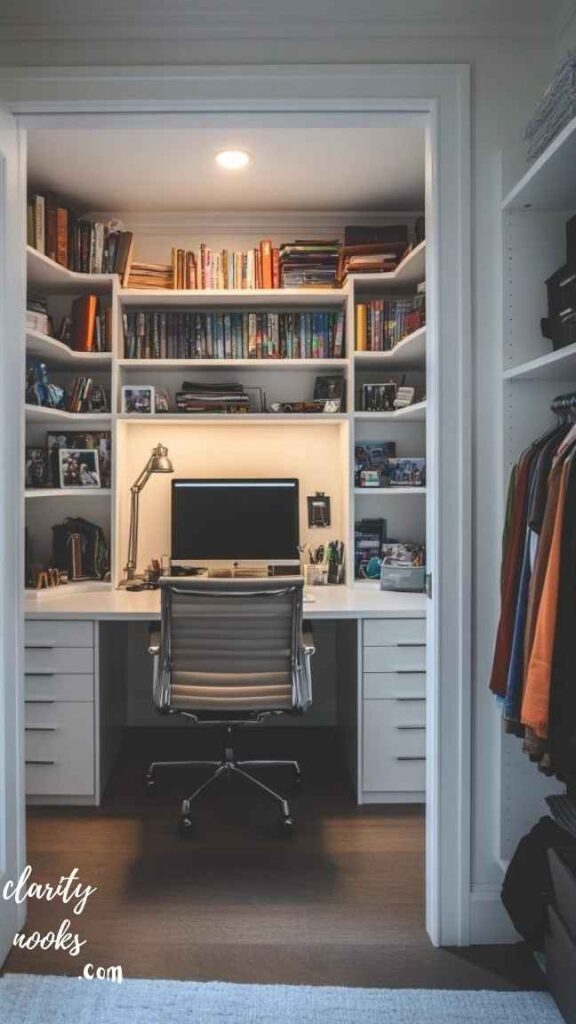
If you’re short on square footage, the answer might be hiding behind a closet door. A cloffice (closet + office) is one of the most effective DIY home office ideas for small apartments because it creates a fully enclosed, distraction-free zone you can literally close the door on when work ends.
The key to a great cloffice is maximizing vertical space. Remove the hanging rod, install a floating desktop at elbow height, add a pegboard or floating shelves above it, and use the floor space for a compact filing drawer on casters. A simple LED strip along the ceiling fixes the typical closet lighting problem in minutes.
Real-world scenario
A freelance writer in a one-bedroom apartment in Chicago converted a 36-inch coat closet into her primary office. She installed a $45 floating shelf as her desktop, added a $20 LED bar overhead, and keeps the closet doors closed every evening. Her words: “The commute to work is now 10 feet. The commute home is pulling two sliding doors shut.”
Must Read: DIY Patio Decor Ideas to Transform Your Backyard on a Budget
Zone Your Space With a Room Divider Not a Door
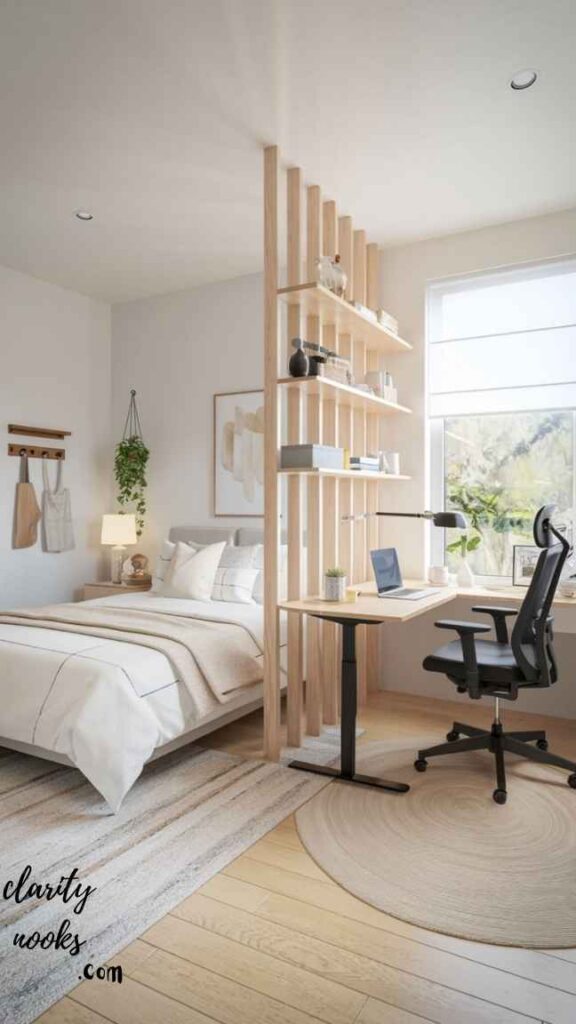
You don’t need a separate room to create a distinct workspace. A well-placed room divider whether a bookshelf, a curtain track, folding screens, or even a strategically positioned sofa creates a visual and psychological boundary that makes a real difference in how your brain responds to the space.
The most underrated version of this idea is the “back-of-bookshelf office.” You position a tall open shelving unit perpendicular to the wall, creating a natural alcove behind it for your desk. The shelves face the living area and hold books and décor; your desk faces the wall for a clean, focused view. It’s cheap, removable, and genuinely elegant.
Example setup
A product manager working from a 650 sq ft studio used a KALLAX-style shelf unit as a divider. Her desk sits in the 6-foot zone behind it. She reports a 40% reduction in mid-day distraction since creating this invisible boundary even though her partner works from the same apartment.
Don’t Skip: DIY Wall Painting Ideas for Stylish and Cozy Home Walls
Build Your Own Standing Desk for Under $80
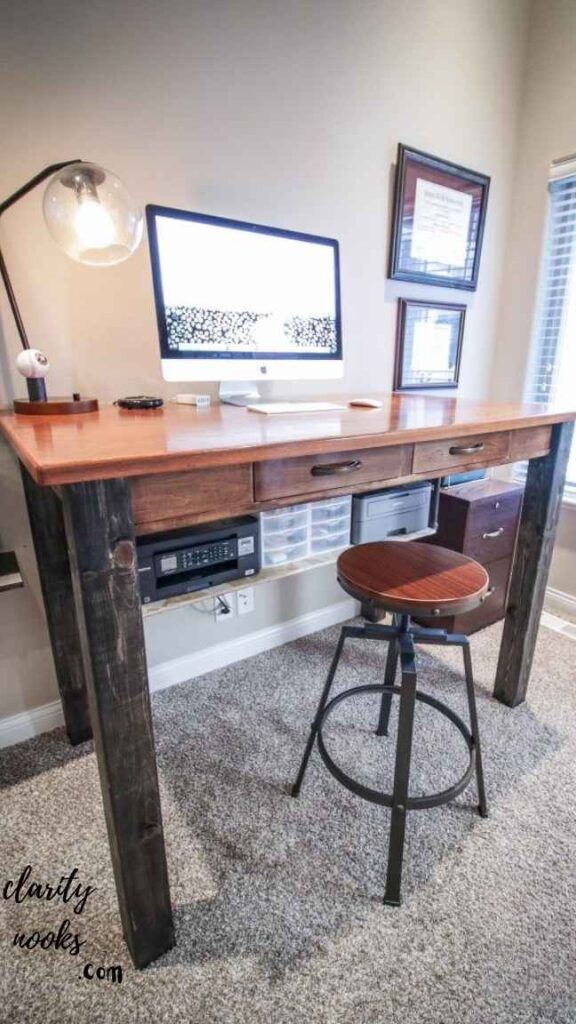
A good standing desk can cost anywhere from $300 to over $1,000. But the DIY version using a solid wood butcher block countertop from a hardware store and adjustable legs from IKEA or Amazon delivers nearly identical functionality for a fraction of the price. This is one of the most cost-effective DIY home office upgrades you can make.
For a fixed-height standing desk, measure your ideal standing height (elbow height with arms relaxed at sides, minus 2 inches) and cut legs to match. For a motorized option, companies like Flexispot sell desk frames without a top, letting you supply your own surface. A 4-foot butcher block top + a basic frame comes in well under $200.
Cost breakdown
Oak butcher block (IKEA KARLBY, 74″): $109. Adjustable legs set: $65. Total: $174. Comparable commercial desks start at $400+. The DIY version also looks better in most spaces because you control the wood finish, color stain, and edge profile.
Don’t Miss: DIY Wall Painting Ideas for Stylish and Cozy Home Walls
Treat Your Acoustics It’s the Most Overlooked Home Office Problem
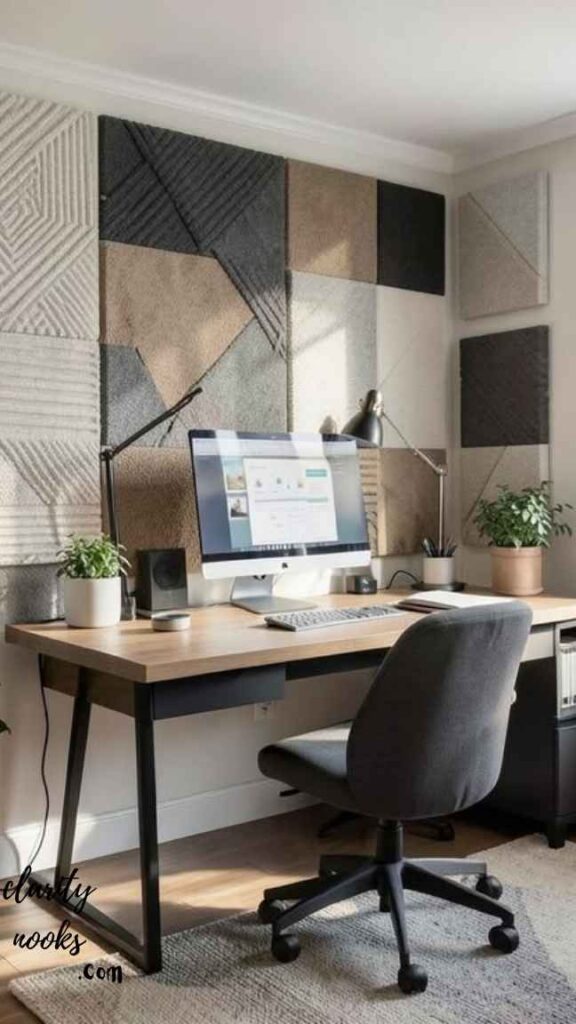
Most home office guides completely ignore sound. But if you’re on video calls all day, recording content, or trying to focus in a high-noise environment, acoustics can make or break your productivity and your professional image. Hard surfaces concrete, glass, bare wood floors create echo and ambient noise that fatigues you over time.
You don’t need professional soundproofing panels. A large area rug, heavy curtains, a full bookshelf of books (surprisingly effective), and a few strategically placed acoustic panels (which you can DIY with rockwool and fabric for about $15 each) can transform a reverberant room into a professional-sounding space. Adding a microphone with cardioid pickup pattern further reduces background noise on calls.
“Fixing room acoustics was the single best change I made to my home office and I’d never seen it mentioned in any ‘home office ideas’ article. My clients noticed immediately.” UX researcher working remotely since 2020
Read More: DIY Garden Decor Ideas for a Cozy Backyard Vibe
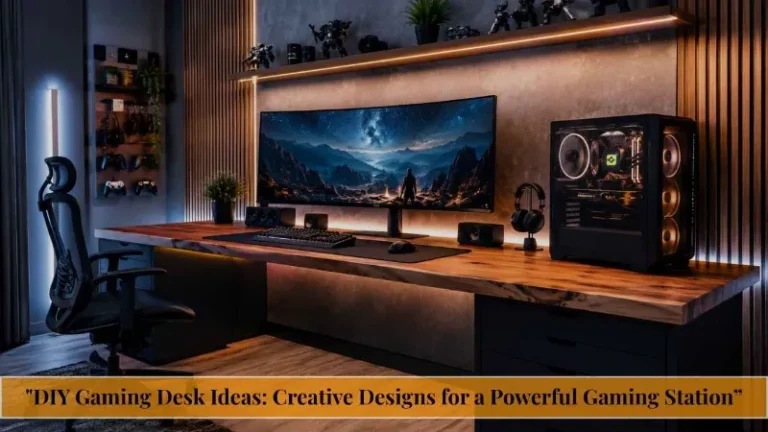
Design a Dual-Monitor Setup That Doesn’t Hurt Your Neck
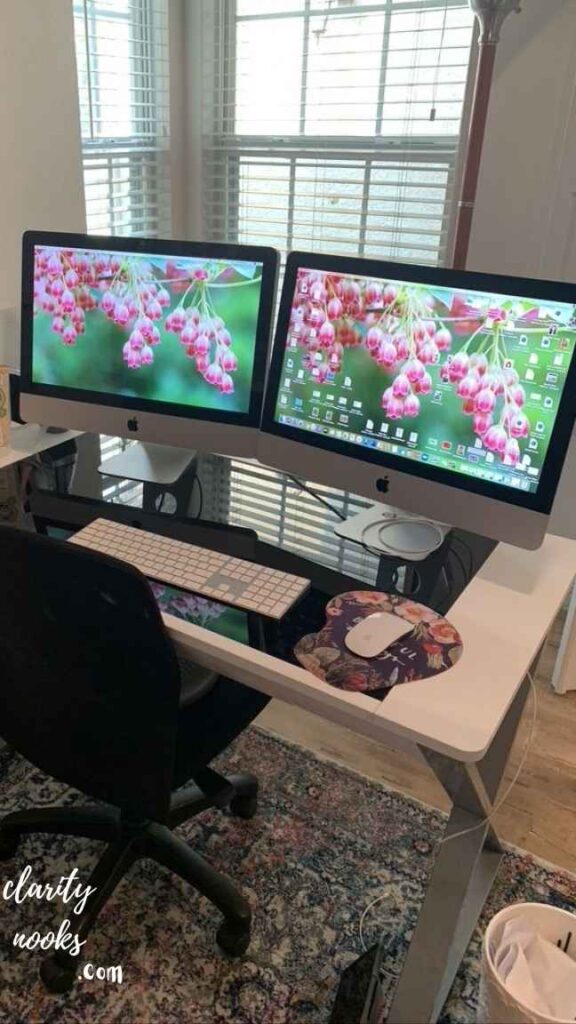
The way most people set up dual monitors is ergonomically problematic one monitor is centered, the other is to the side, causing chronic neck rotation throughout the day. The correct approach depends entirely on how you use each screen. If both are equally important, angle them in a V-shape centered on your nose. If one is primary, center that screen and place the secondary at a 30-35 degree angle slightly to the side.
For a DIY solution, a dual monitor arm (roughly $30–60 on Amazon) lets you achieve perfect positioning and frees up significant desk surface. Combine this with mounting your main monitor at eye level (the top third of the screen should be at or just below eye height) and you’ll eliminate the most common source of home office neck and shoulder pain.
Setup note
A software developer spent 18 months with neck pain before realizing her monitor was 4 inches too low. A $35 monitor arm and a 20-minute adjustment session resolved the problem. “I’d spent $400 on a massage chair. The $35 fix was what I actually needed.”
Use Biophilic Design to Reduce Stress and Boost Focus
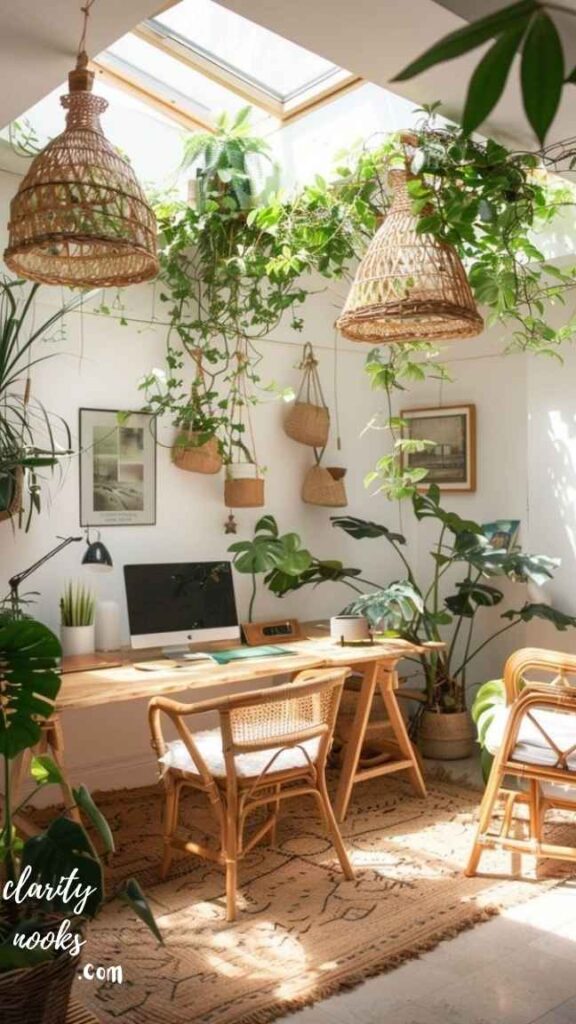
Biophilic design incorporating natural elements into your workspace isn’t a trend; it’s backed by a substantial body of research. A University of Exeter study found that adding plants to an office environment increases productivity by up to 15%. More importantly for home office users, plants reduce cortisol levels, which helps sustain concentration during long work sessions.
You don’t need a jungle. A single large-leafed plant (pothos, monstera, or ZZ plant all low-maintenance) placed within your field of vision is enough to deliver measurable benefits. Combine with natural light, a wooden desk surface, and a small tabletop fountain (white noise + water element) for a genuinely restorative workspace at minimal cost.
Create a “Context Switch” Ritual Zone Outside Your Desk
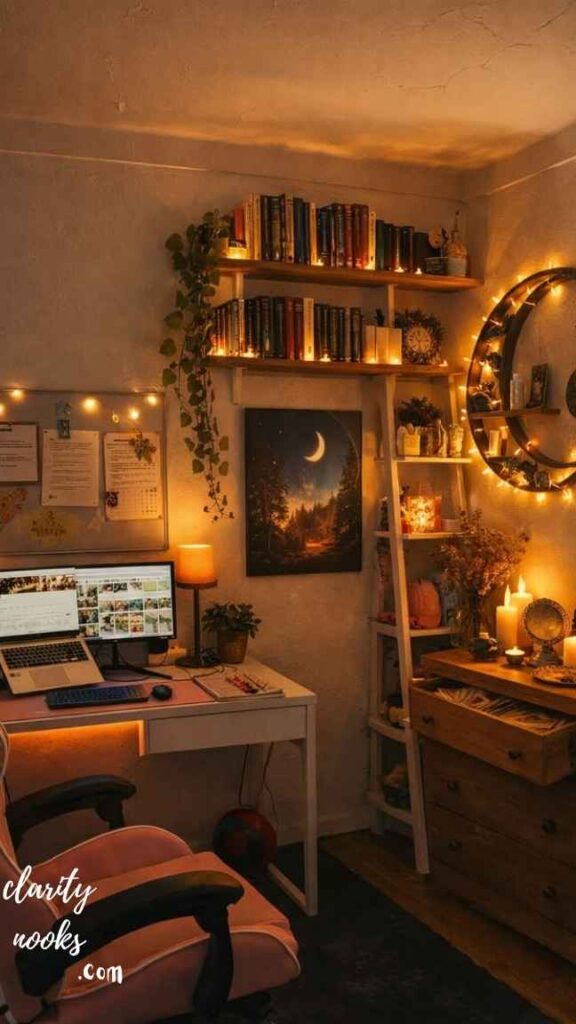
One of the hidden challenges of home office work is the absence of a physical commute which, despite its inconvenience, served a real psychological function: it gave your brain time to shift from “home mode” to “work mode.” Without it, many remote workers report feeling like they never fully leave work, even when they’re technically off the clock.
The DIY fix is to build a small ritual zone just outside your workspace. This could be as simple as a coffee station, a small reading chair, or a standing mat near a window where you spend five minutes before and after your workday. The ritual is the transition and having a dedicated physical spot reinforces it. This is a zero-cost productivity intervention that almost no home office guide mentions.
Hack Your Lighting for Both Focus and Video Calls
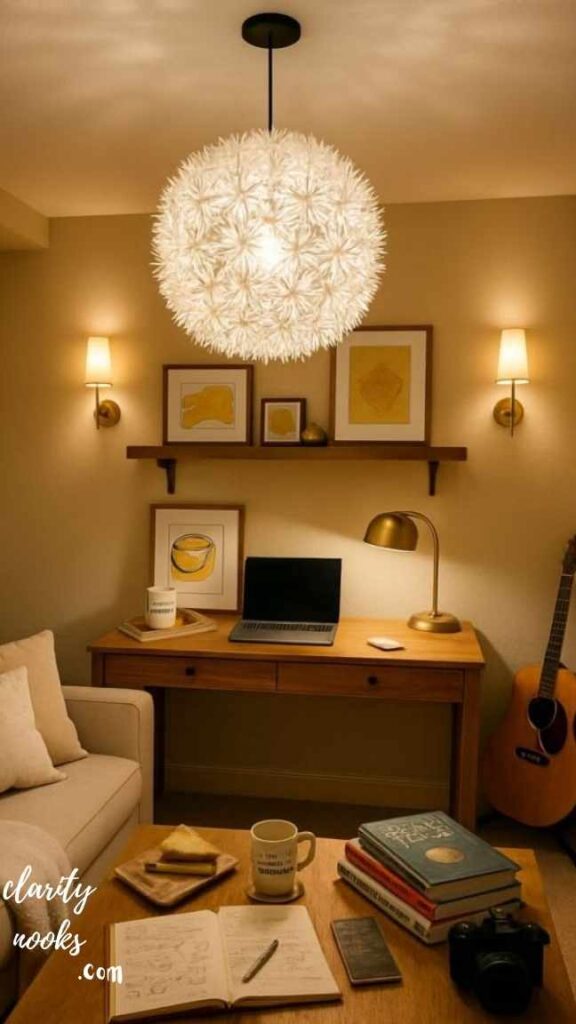
Lighting in a home office serves two distinct functions: task lighting for focused work and key lighting for video calls. Most people use overhead ambient lighting for both which is mediocre for focus and genuinely terrible for on-camera appearance, casting harsh shadows downward on the face.
The DIY solution is a three-layer lighting setup. First, an LED desk lamp with adjustable color temperature (warm for creative work, cool white for analytical tasks). Second, a small ring light or LED panel positioned at monitor height just behind your camera for video calls. Third, a bias lighting strip behind your monitor to reduce eye strain from screen contrast. Total cost: under $60. The upgrade in both visual quality and comfort is dramatic.
Build an “External Brain” Wall: Your Analog Command Center
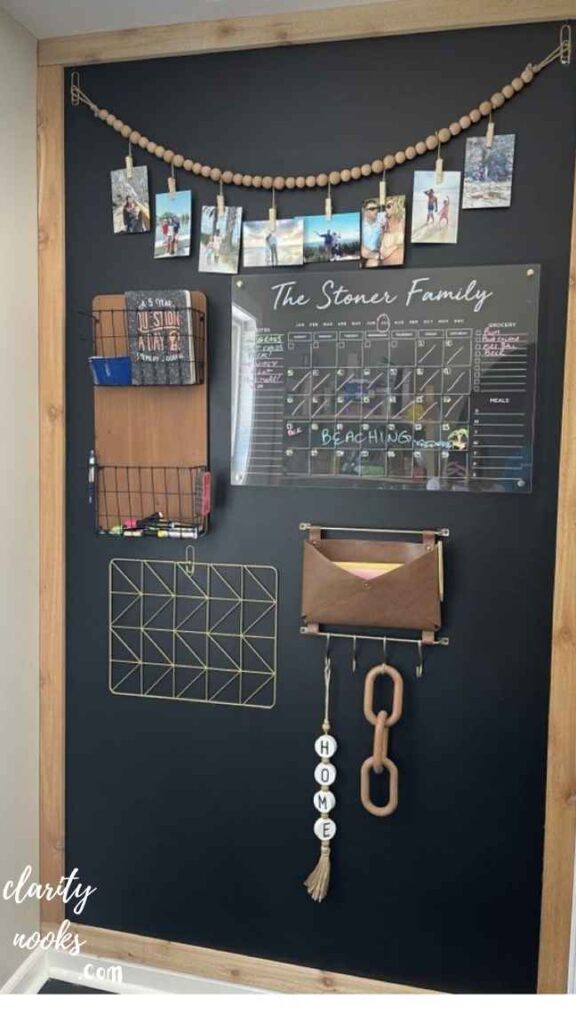
Digital tools are excellent but a physical information display in your home office creates a spatial dimension to your work that screens can’t replicate. An “external brain wall” is a dedicated section of wall (or pegboard, or corkboard) that holds your current projects, priorities, key references, and any visual work in progress.
The most effective version combines a magnetic whiteboard for fluid brainstorming, a grid-paper corkboard for project cards (think physical Kanban), and a narrow shelf for physical reference materials. Position it at eye level directly in your peripheral vision, not behind you. Many knowledge workers who’ve tried this report that it reduces the mental overhead of constantly opening apps to remember what they’re working on.
Mini case study
A marketing strategist and mother of two built an external brain wall using a $12 pegboard, a $15 corkboard, and $8 of Command strips. She credits it with reducing her “context switching overhead” time spent remembering where she was in a project by roughly 45 minutes per day.
Conclusion:
Creating a comfortable and stylish workspace at home is easier than you think. With the right DIY Home Office Ideas, you can turn any small corner into a productive area. Simple changes like better lighting, smart storage, and personal decor can make a big difference. Focus on what makes you feel calm and motivated while working.
DIY Home Office Ideas help you save money and add a personal touch to your space. You can reuse old items and create something unique. Keep your setup clean and organized for better focus. In the end, a well-designed home office can boost your mood and improve your daily work routine.
Trend Analysis
DIY Home Office Design in 2026 and Beyond
The home office space has evolved far beyond its pandemic-era origins. In 2026, several distinct shifts are reshaping how people think about and build their workspaces and these trends will accelerate over the next two to three years.
2026 Now
Neuroergonomics
Design choices based on cognitive science: lighting for circadian rhythm, color for focus states, acoustic tuning for deep work vs. collaboration.
2026–2027 Emerging
Hybrid-ready setups
Offices built to seamlessly transition between solo deep work and high-quality video collaboration often in the same 90-second setup change.
2027–2028 Next wave
Adaptive spatial tech
Smart desks, dynamic lighting, and AI-curated ambient environments that adjust based on your calendar, meeting type, and biometric data.
Ongoing shift
Sustainability first
Reclaimed wood, secondhand furniture, low-VOC materials, and energy-efficient lighting as deliberate design choices not afterthoughts.
A notable behavioral shift: workers in 2026 are actively resisting the “Instagram office” aesthetic the perfectly styled, impractical setups popular in 2020–2022. The dominant preference now is for functional warmth: workspaces that are visually calm, genuinely ergonomic, and feel like a natural extension of the home rather than a corporate import
Expert Insights
Practical Tips and Expert Insights
- Start with the chair, not the desk: Most people reverse this. A bad chair destroys a great desk. Budget at minimum 40% of your total setup cost toward seating. A used Herman Miller Aeron in good condition beats a new $200 chair every time.
- Orient your desk to face a wall, not a window: Natural light should come from the side (ideally left side for right-handed workers). Facing a window creates glare on screens and distraction; facing a wall promotes visual focus.
- Use a physical inbox/outbox system: Digital task managers are powerful, but a physical tray on your desk for “to do today” and “done” creates a satisfying, tactile completion loop that digital tools rarely match.
- Temperature control is a hidden ergonomic factor: Cognitive performance drops measurably at temperatures above 77°F (25°C). A small desk fan or personal heater in your workspace independent of the home’s HVAC makes a real difference during extreme weather.
- Cable management is not optional: Visual clutter from cables activates a low-level stress response even when you don’t consciously notice it. A $15 cable management tray under the desk, combined with Velcro ties, eliminates this entirely.
Sustainability
Long-Term Strategy and Sustainability for Your Home Office
The most common mistake people make with DIY home office setups is treating them as a one-time project. The reality is that your work needs change as does your living situation, the technology you use, and your understanding of how you personally work best. The smartest home offices are built with modularity and adaptability in mind from the start.
Invest in infrastructure (desk frame, monitor arms, cable management, lighting tracks) and stay flexible on surfaces and accessories. A quality adjustable desk frame paired with a replaceable wooden top gives you 10+ years of use even as styles change. By contrast, a trendy all-in-one desk unit tends to feel dated and inflexible within three years.
On sustainability: the most environmentally responsible home office choice is secondhand. Facebook Marketplace and local estate sales routinely offer quality desks, task chairs, and filing cabinets at 20-30% of retail. Ergonomic office chairs in particular which are built to last 15-20 years are worth seeking secondhand. Buying used also avoids the off-gassing that new particleboard furniture produces for the first 6-12 months, which matters more in a small enclosed workspace than anywhere else in the home.
Future Predictions
Future Predictions and Innovations in Home Office Design
Over the next three to five years, the boundary between digital and physical workspace tools will continue to blur. Spatial computing headsets already available from multiple manufacturers in 2026 are beginning to replace the multi-monitor setup for certain worker types. However, for the majority of knowledge workers, the physical desk will remain central, with digital tools augmenting rather than replacing it.
Expect significant growth in AI-integrated environmental controls: systems that learn your work patterns and automatically adjust lighting color temperature, desk height, and white noise levels based on your calendar and focus metrics. These systems are expensive today but will enter the DIY price range within two to three years as the underlying hardware commoditizes.
A more immediate innovation worth watching: modular wall panel systems essentially a grown-up version of pegboard that integrate power outlets, USB hubs, monitor mounts, and acoustic panels into a single unified wall installation. Several Kickstarter-backed companies launched products in 2024-2025 that are now reaching mainstream retail. For the serious home office builder, these represent the cleanest solution to cable management and surface organization yet designed.
Common Mistakes
Common Mistakes and Hidden Gaps Most People Miss
- Mistake: Optimizing for the photo, not the workday: A workspace that looks great on Instagram but has a monitor at the wrong height, poor cable routing, and no ergonomic chair is actively harmful. Design for 8 hours of use, not 8 seconds of photography.
- Mistake: Buying everything at once before you know how you work: Work in your space for 2-4 weeks before making major purchases. You’ll discover that you actually want more shelf space (not another monitor) or that you never use your printer and shouldn’t have allocated floor space to it.
- Mistake: Ignoring the floor: Hard flooring without an anti-fatigue mat makes standing desk use genuinely uncomfortable within 30 minutes. Chair mats on carpet prevent the slow exhaustion of pushing a chair against resistance all day. This is a $30-50 fix most people overlook for years.
- Mistake: Treating personal items as clutter: Research on motivation environments suggests that 1-3 personally meaningful objects (a photo, a trophy, a souvenir from a meaningful trip) within view increases perseverance on difficult tasks. Don’t sterile-clean your desk curate it.
- Hidden gap: No offline backup for power outages or internet drops: A $40 UPS (uninterruptible power supply) keeps your monitor, router, and laptop alive for 20-30 minutes during a power cut enough to save your work and gracefully end a call. Almost no home office guide mentions this.
- Hidden gap: Forgetting about security and privacy: If clients or colleagues can see confidential information over your shoulder during video calls, you have a professional liability risk. A privacy screen filter ($25-60) and a camera-angle audit take 10 minutes to address completely.
Rameen Zara is the founder of Clarity Nooks, bringing over five years of experience in home décor and interior styling. She shares simple yet practical design ideas that suit real homes and everyday living. Her approach focuses on cozy aesthetics, soft color palettes, and natural textures that create warm, inviting spaces.